The editor needs a computer. Building a course means dropping in files and arranging and checking slides side by side, which needs a bigger screen and a mouse or trackpad. Open zipcourse.app on a laptop or desktop to start. Meanwhile, here's how it works.
How it works
From slides and video to an LMS-ready course, in your browser
ZipCourse is an e-learning builder that runs in your browser. Drop in what you already have, arrange and brand it, preview it as a learner, then export a SCORM, xAPI or cmi5 package for any LMS. Your course never leaves your computer.
Five steps
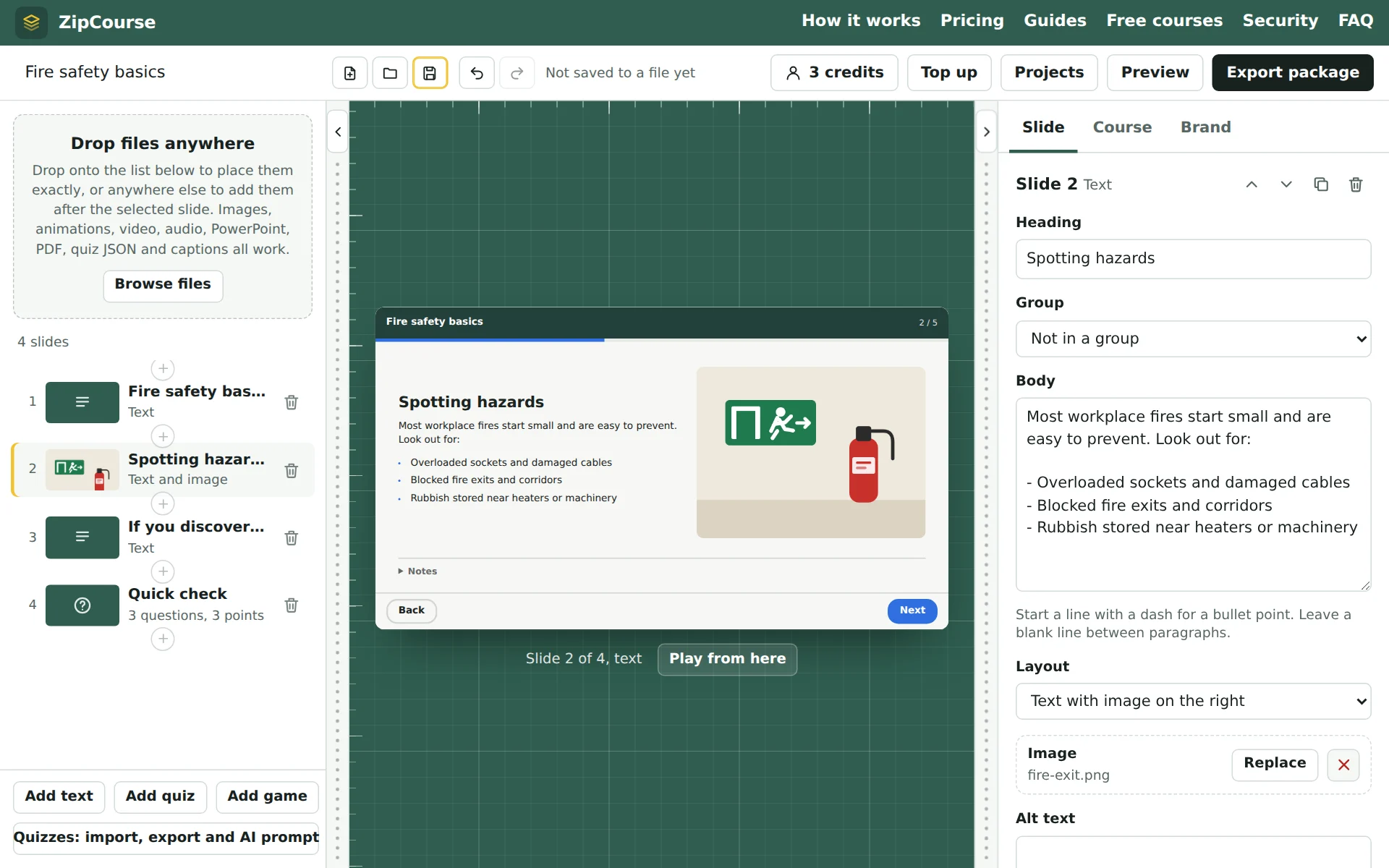
Add what you already have
Drop files anywhere on the editor, or choose Browse files. A PowerPoint deck becomes editable slides with its text, pictures, tables and speaker notes. Video, audio, PDFs, images and quiz files each become slides of their own. Or press + and paste a YouTube, Vimeo or podcast link.
Arrange it and make it yours
Reorder slides, write text slides, add narration to pictures and captions to video, and build quizzes. Add a game slide for a break, or let a perfect quiz earn a bonus game. In Brand, add your logo and choose colours, font and corner style, or press Generate colours for a palette that passes contrast checks.
Set the rules
Choose the pass mark, what counts as complete, whether learners can move freely or must finish each slide first, and how many attempts they get.
Preview as a learner
Play the course exactly as learners will, with a live log of what your LMS would record: progress, answers, score and completion.
Export and upload
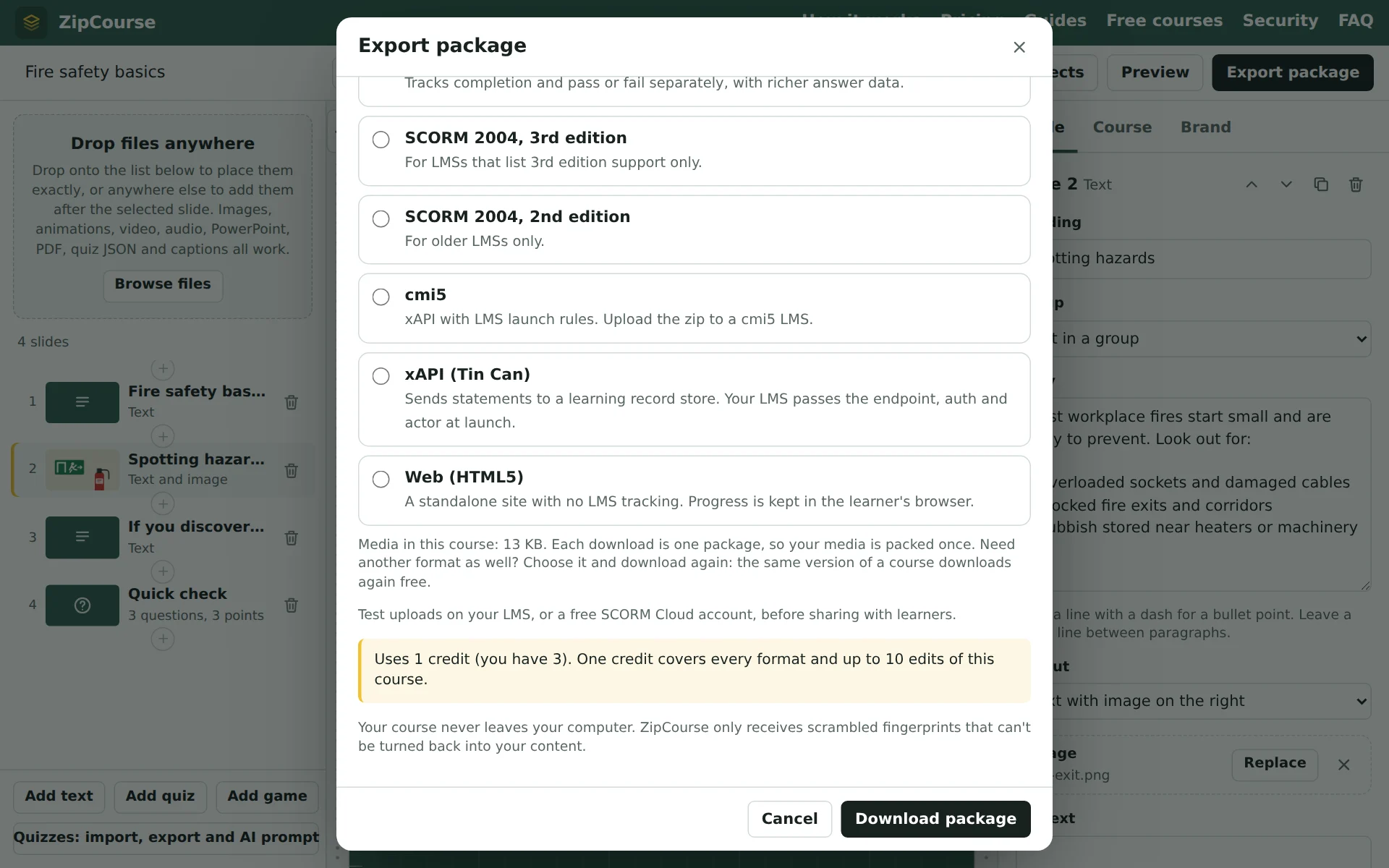
Choose a format and download the package: one zip file you upload to your LMS. Exporting uses one credit, which covers every format and up to 10 edited versions of that course.
What you can bring in
| File | What happens |
|---|---|
| PowerPoint (.pptx) | Each slide becomes an editable slide with its title, text, bullet points, links, tables, main picture and speaker notes. Embedded video and audio come across too. |
| A whole document as one slide that learners can read and scroll. | |
| Images and animated GIFs | PNG, JPEG, GIF, WebP and SVG, one slide each, with alt text and optional narration. |
| Video | MP4 (H.264) or WebM, with captions from a .vtt or .srt file. |
| Audio | MP3, M4A, WAV, Ogg and more, as a slide or as narration on an image slide. |
| Video and podcast links | A link or embed code from YouTube, Vimeo, Spotify, Apple Podcasts or SoundCloud, or a link to an audio file. It plays from that site, so learners need to be online. |
| Quizzes | Single answer, several answers, and true or false, built in the editor or imported as JSON (an AI assistant can write it from your document). |
| Text | Text slides written in the editor, or .txt and Markdown files. |
PowerPoint import keeps your words and pictures but not animations or exact layouts. If a slide must look exactly as designed, export it from PowerPoint as a picture (File, Export, PNG) and drop that in instead. The PowerPoint guide has more tips.
Brand it in a minute
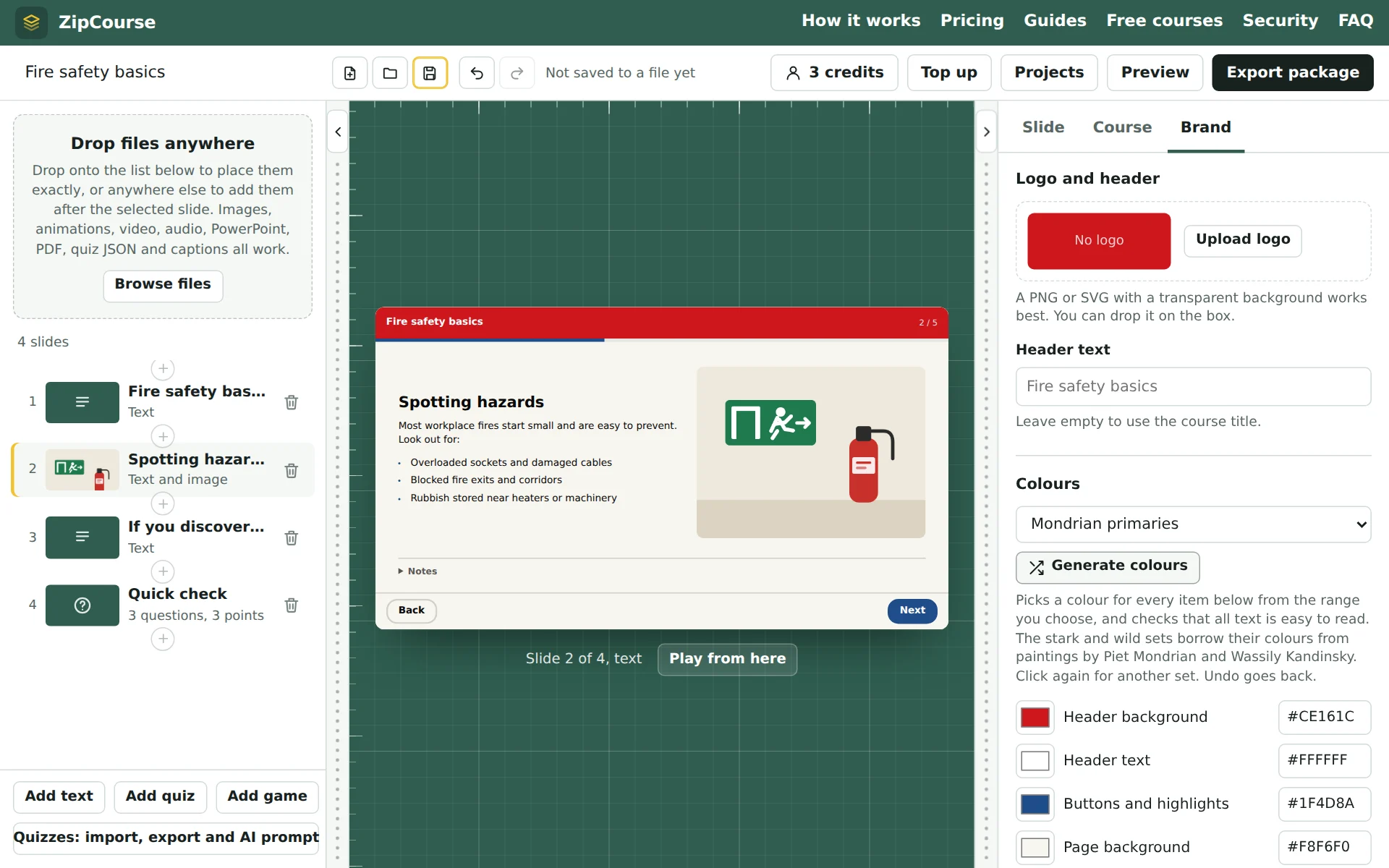
Upload a logo and pick colours by hand, or let ZipCourse suggest them. Generate colours keeps body text at a 7:1 contrast ratio (WCAG AAA) and buttons clearly visible, whichever palette you choose: calm schemes built round your logo colour, stark black-and-white sets with one primary colour after Piet Mondrian, or clashing, joyful sets after Wassily Kandinsky.
Games that reward getting it right
Learners who get every question in a quiz right first time can play a 30-second bonus game, and a game slide puts one anywhere in the course as a break. There are 32 games, from a kart race and a space shooter to quick maths and a word wheel: arcade, casual and timing games, and maths, logic and word games. They play with a keyboard, mouse or touch screen, in your course's colours.
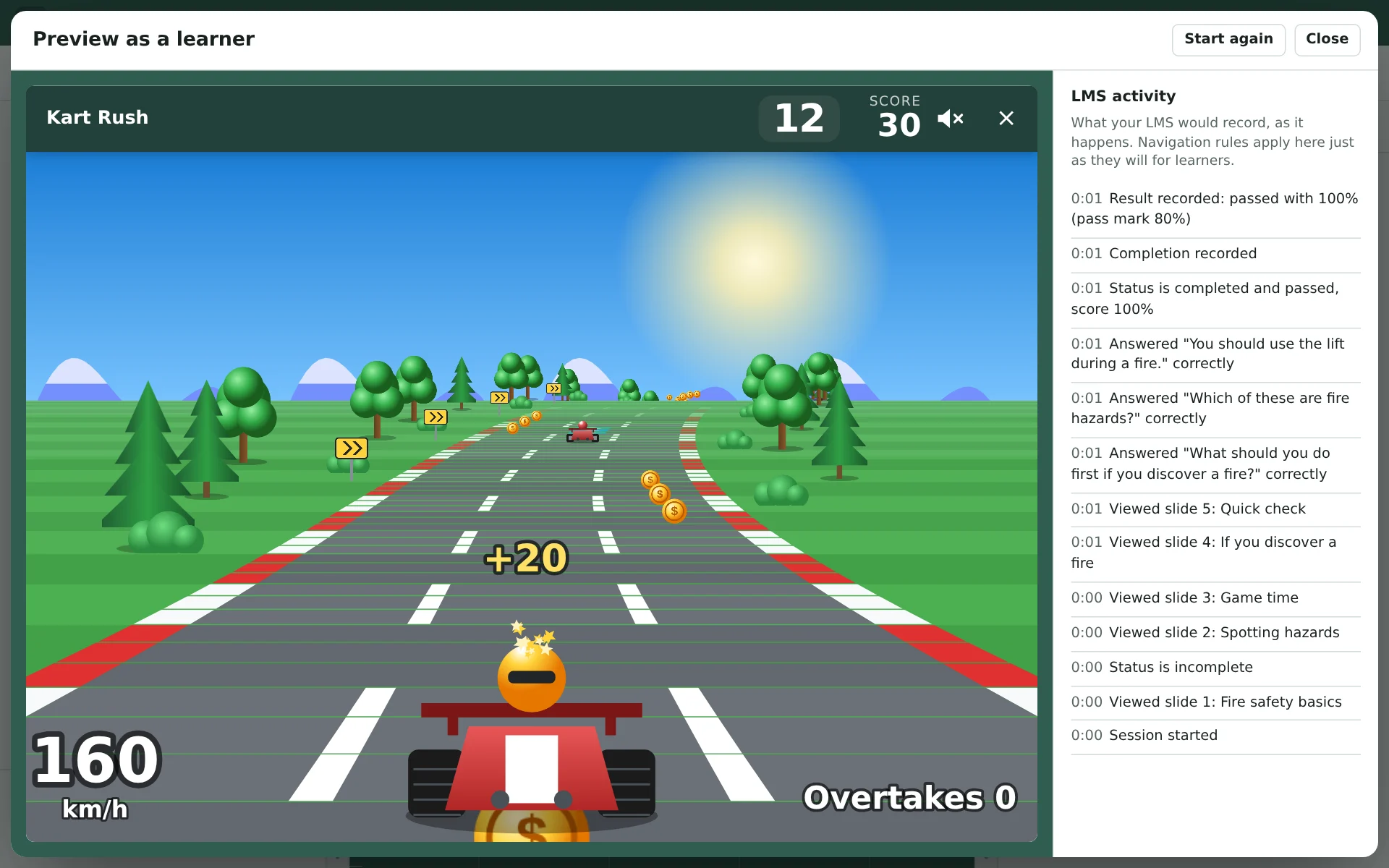
Scores go to your LMS as records of their own, so they never change a learner's result, and learners can always skip a game. Packages only carry the games their course uses. How to add games.
See what your LMS will see
Preview plays the course in the same player your learners get. Beside it, the LMS activity log shows each thing the course would report: slides viewed, answers given, the score, and when it counts as passed and complete. You can check your pass mark and completion rule before anyone else sees the course.
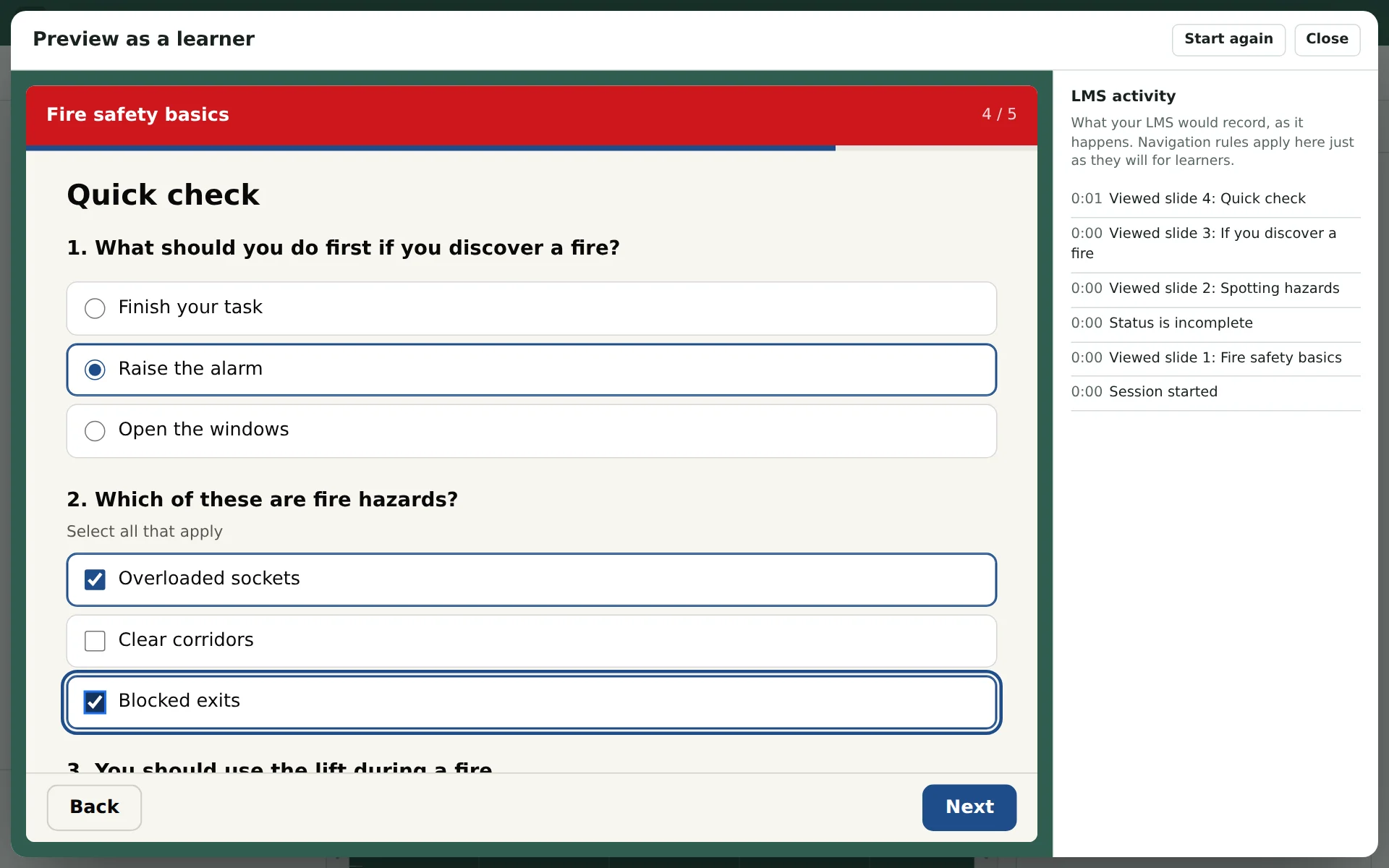
Preview shows the first 5 slides of any course for free. Once your account has a credit, it shows the whole course.
Export for any LMS
| Format | Choose it when |
|---|---|
| SCORM 1.2 | Works in almost every LMS. Choose it if you are unsure. |
| SCORM 2004 (2nd, 3rd and 4th editions) | Reports completion and pass or fail separately, with richer answer data. Use the newest edition your LMS lists. |
| cmi5 | xAPI with launch rules, for LMSs that support cmi5. |
| xAPI (Tin Can) | Sends statements to a learning record store (LRS). Your LMS passes the endpoint and learner at launch. |
| Web (HTML5) | A standalone site with no LMS, for an intranet or any web host. Progress is kept in the learner's browser. |
Each download is one format, so a long video is packed once, not once per format. Need another format later? Download it again: the same version of a course downloads again free. Not sure which to pick? Read SCORM 1.2 or SCORM 2004.
See a finished course first Free
Our free Copilot prompting courses were made in this editor and exported with the same Export button you'll use: text slides, a YouTube video, quizzes and game breaks, each in its own colours. Try them in your browser, download them as SCORM 1.2 or cmi5 for your LMS, or open their project files and change them.
Where your work is kept
Everything you build stays on your computer: in your browser's own storage as you work, and in course files you save with Save (a .zipcourse.zip file you can back up, email or open on another computer). Projects lists the courses in this browser. ZipCourse's server never receives your slides, media or quiz answers. When you export, it receives a random course ID and scrambled fingerprints that can't be turned back into your content. How that works.
What learners get
- A clean player with your branding, that works with a keyboard and adapts to small screens.
- Captions on video, notes and transcripts under slides, and alt text on pictures.
- Quizzes with feedback, retries and a results page, if you want them.
- Short games, as a reward for a perfect quiz or a break between sections, if you want them.
- Progress saved by the LMS, so learners can leave and pick up where they left off.
- No accounts, adverts or tracking by ZipCourse. Results go to your LMS only.
Try it with your own slides
Free to build and preview. No account needed until you export.
Contact us
Questions, feedback, or a problem with an export? Send us a message and we'll reply within one working day.
Buying for a school, team or group? We offer discounted bulk credit packs for groups of people, and an education discount for recognised schools, colleges and universities. Choose one in the form and the credit pack you'd like.
You can also email support@zipcourse.app.
Thanks, your message is on its way.