SCORM 1.2 or SCORM 2004: which should you choose?
Updated 1 October 2026
Short answer: choose SCORM 1.2 unless your LMS recommends SCORM 2004, or you need completion and pass or fail reported separately. Both are stable, well-supported standards from the Advanced Distributed Learning (ADL) Initiative.
What they have in common
Both package a course as a zip file with a manifest (imsmanifest.xml) that tells the LMS how to launch it. Both let the course report progress, score and completion, and save its place so learners can resume. To learners, a course looks the same in either.
The differences that matter
| SCORM 1.2 | SCORM 2004 | |
|---|---|---|
| LMS support | Almost universal | Very wide; a few older or lightweight LMSs lack it |
| Status reported | One status: passed, failed, completed or incomplete | Two: completion (completed or not) and success (passed or failed) separately |
| Saved progress | Up to 4,096 characters | Up to 64,000 characters |
| Answer detail | Basic | Richer, including descriptions of each question and answer |
| Sequencing rules | None | Optional rules between parts of a course |
The two-status model is the main practical reason to choose SCORM 2004. With SCORM 1.2, a learner who views everything but fails the quiz shows as "failed", and the LMS can't also show they completed it. SCORM 2004 reports both.
Which edition of SCORM 2004?
SCORM 2004 came in four editions. Use the 4th edition where your LMS supports it: it's the newest and most complete. Choose the 3rd or 2nd edition only if your LMS lists only those. ZipCourse exports all three: you choose when you press Export package.
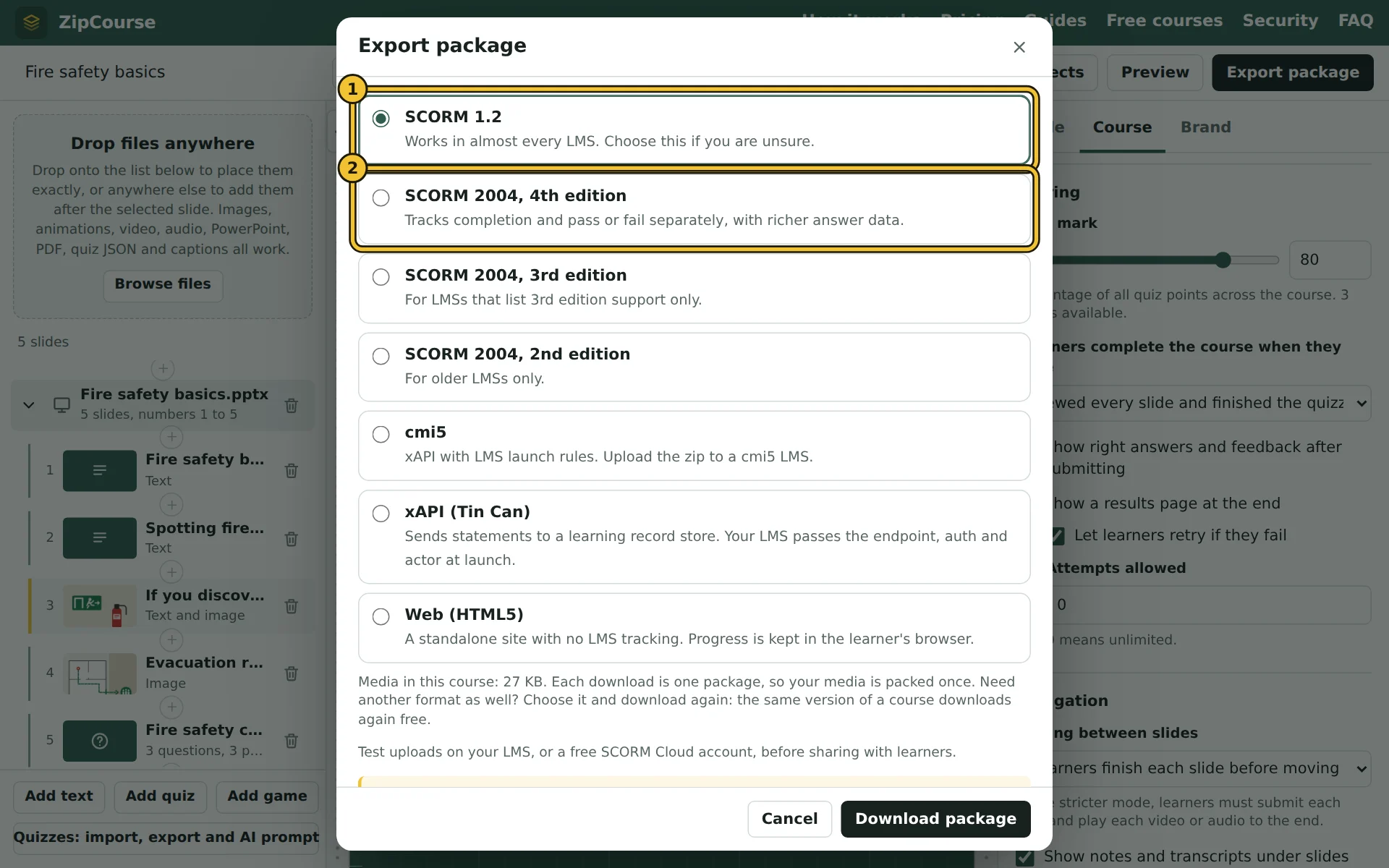
- 1SCORM 1.2, for the widest support.
- 2SCORM 2004, 4th edition, for completion and pass or fail reported separately.
What about xAPI and cmi5?
They are newer standards that can record learning outside an LMS and in far more detail. Read xAPI and cmi5 explained to see whether you need them. Most organisations that "need SCORM" are well served by SCORM 1.2 or 2004.
Test before you share
Upload the package to your LMS (or a free SCORM Cloud account) and run through it as a learner, then check the LMS's report shows what you expect. In ZipCourse, the LMS activity log in Preview shows the same information before you export.
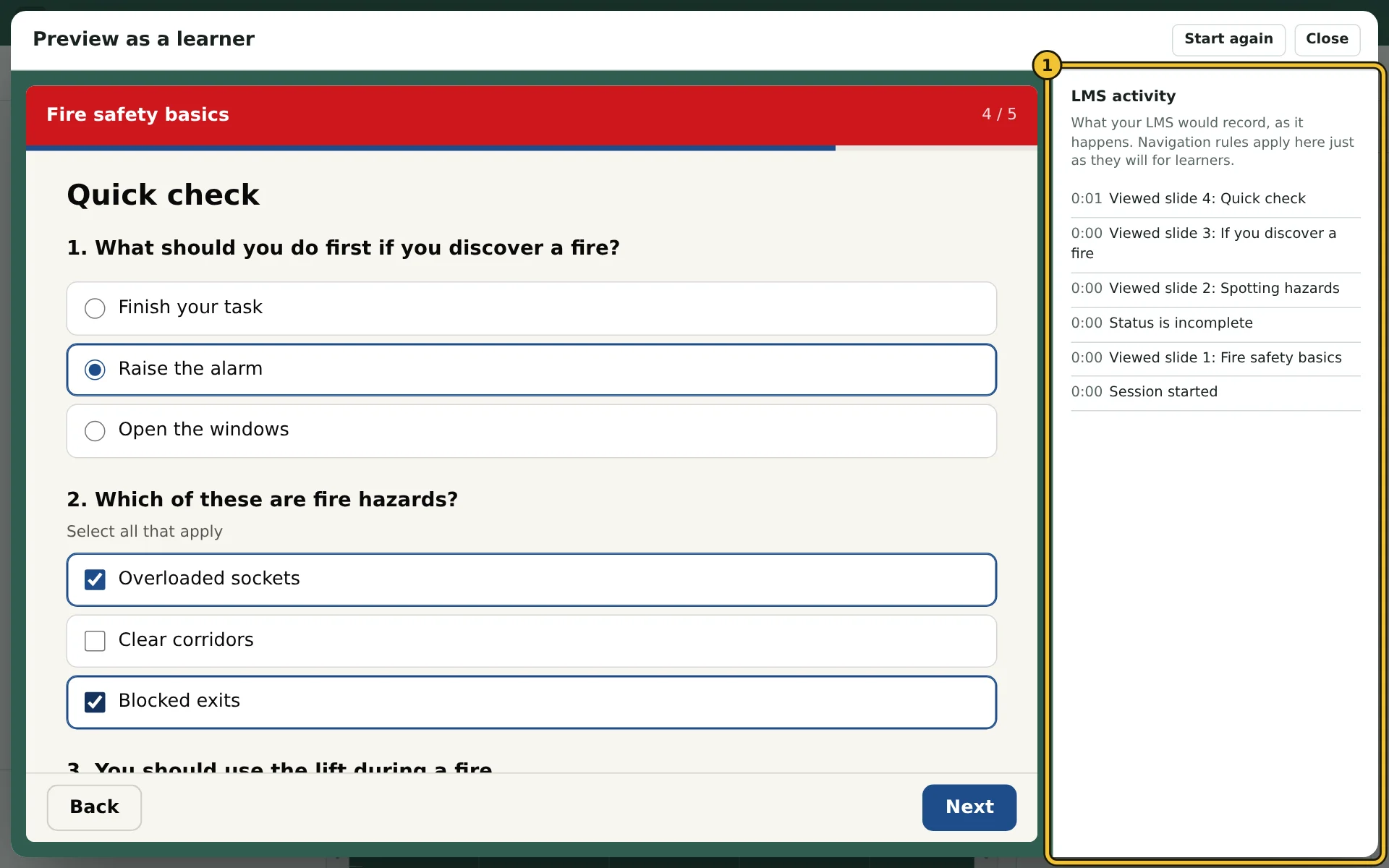
- 1The LMS activity log: what your LMS would record, as it happens.
And if you choose the wrong one? Download the other format: the same version of a course downloads again free, in any format.