xAPI and cmi5 explained, for course builders
Updated 1 October 2026
xAPI and cmi5 are newer ways for courses to report learning. They are powerful when you need them, and unnecessary when you don't. Here's how to tell.
xAPI (Tin Can)
xAPI records learning as statements such as "Sam completed Fire safety basics" or "Sam answered question 3 correctly". Statements go to a learning record store (LRS): a database built for them, which can be part of an LMS or separate from it.
ZipCourse courses send statements as learners view slides, answer questions, pass or fail and complete, and a "scored" statement for each game they play.
xAPI doesn't say how a course is launched or how it finds the LRS. In practice, the LMS adds the LRS address, a credential and the learner's identity to the course's web address at launch. ZipCourse's xAPI packages read these launch details in the common "Tin Can launch" form and include a tincan.xml file describing the course.
cmi5
cmi5 is a set of rules on top of xAPI that fills in what xAPI leaves open: how the LMS launches the course, how the course gets its credentials, and which statements it must send for "launched", "completed", "passed" and so on. It also has a "move on" rule that tells the LMS what counts as finished. In short, cmi5 is xAPI that behaves as predictably as SCORM.
A cmi5 package is a zip with a cmi5.xml course structure file. ZipCourse sets its move-on rule and mastery score from your completion rule and pass mark.
When to choose them
- Choose cmi5 if your LMS supports it: you get xAPI's detail with reliable launch and completion.
- Choose xAPI if you have an LRS and a way to launch courses with LRS details, such as a learning experience platform.
- Choose SCORM if you just need completion and scores in an LMS. It's simpler and supported almost everywhere. See SCORM 1.2 or 2004.
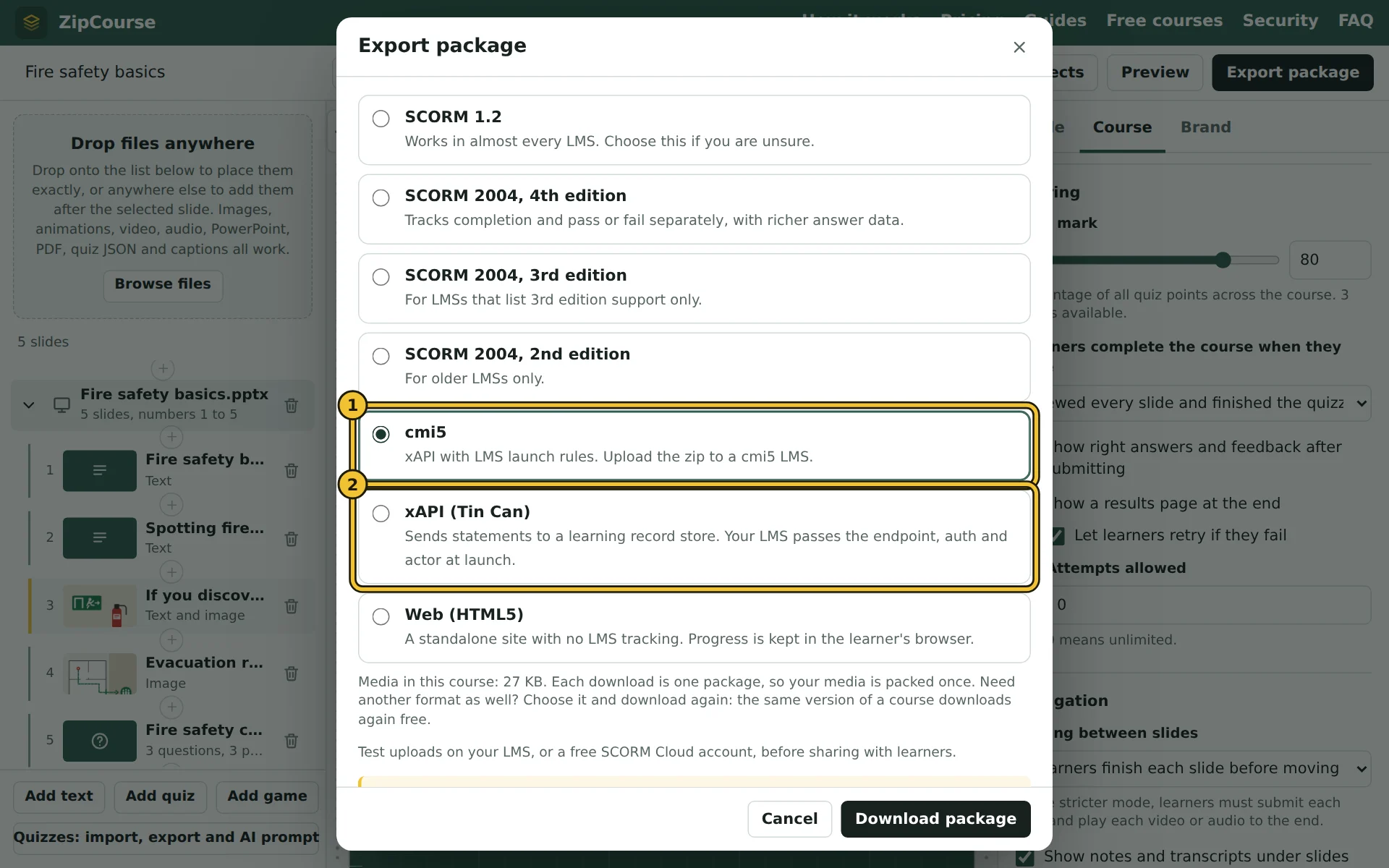
- 1cmi5, for an LMS that supports it.
- 2xAPI (Tin Can), for a learning record store, with launch details from your LMS or platform.
Testing
Most LRSs show incoming statements as they arrive, which is the best way to check a package. ZipCourse's Preview shows what the course reports as it happens, in plain words, before you export.
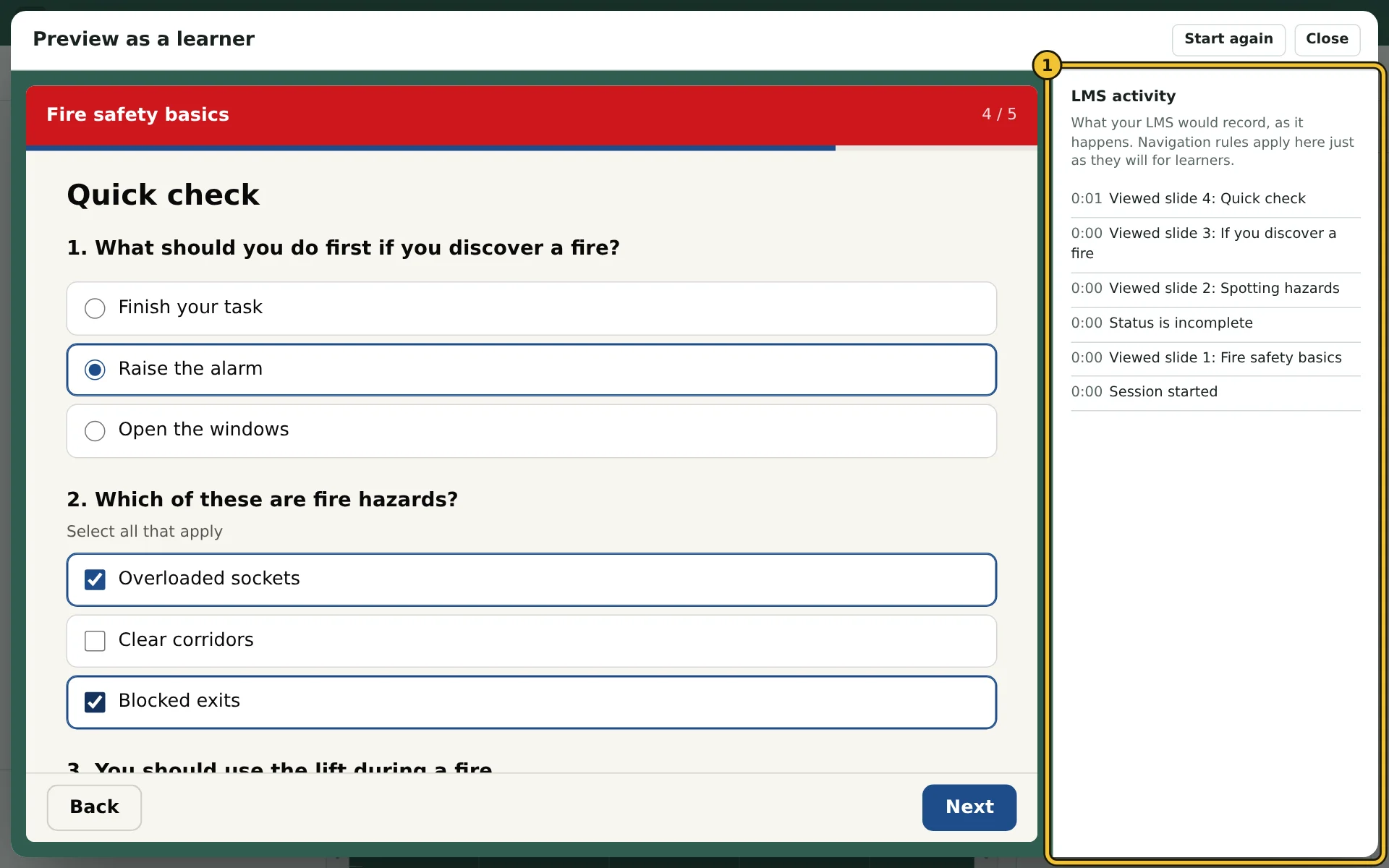
- 1The LMS activity log: what your LMS would record, as it happens.
Whichever standard you use, ZipCourse never receives the statements or results. They go from the course straight to your LMS or LRS.